Aug 2026 · 3 min read
Building FloorMind: AI Floor Plans That Stay Editable — Even Offline
I shipped FloorMind — describe a home, get a floor plan you can still edit. The hard part wasn’t the LLM. It was making “AI” return rooms and openings, with a full offline path when there’s no API key.
- flutter
- ai
- floor-plan
- offline-first
- architecture
- structured-output
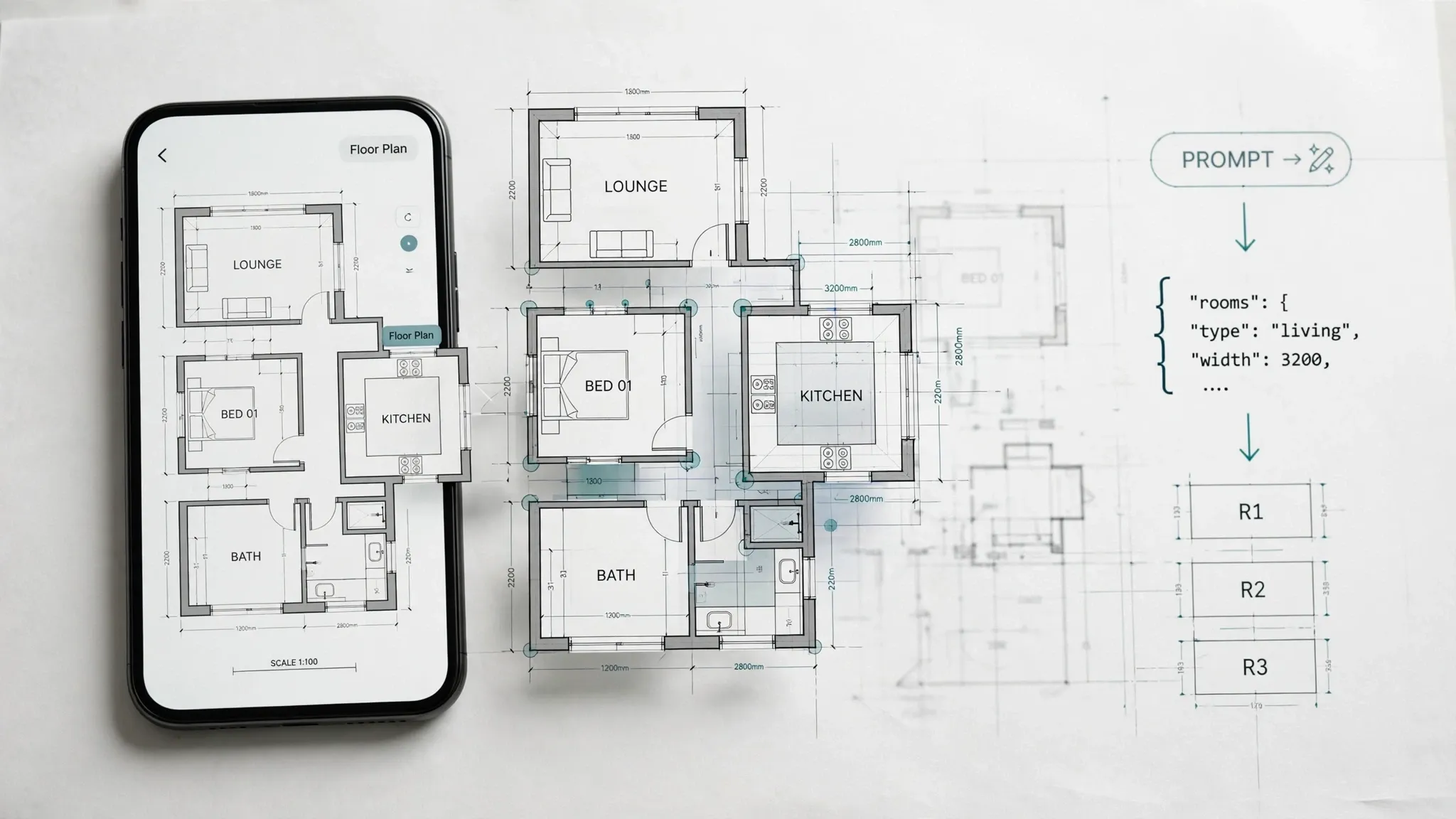
I shipped FloorMind — a mobile AI floor plan designer. Prompt for a layout (or start from a template), edit rooms and furniture on a plan canvas, check measurements, export PNG or PDF.
Most “AI design” demos produce an image. Images aren’t plans. You can’t drag a wall on a JPEG.
So the product constraint became:
Can natural language produce a structured, editable floor model — and still work when the cloud isn’t there?
The model is the product
All plan geometry is stored in meters. The editor converts to pixels with a view transform. Imperial units are a formatting concern only — never a second geometry system.
A floor is rooms (x, y, w, h), openings (door/window on a wall side with position t and width), and furniture items (kind, pose, size). That schema is what export, measurements, and AI all share.
One UI entry point, two generators
AiPlanService.instance is the only thing the UI talks to.
- If
AI_API_KEYis provided at build time (--dart-define=…), prompts go to Claude with a system prompt that demands minified JSON only: rooms + openings + furniture, meters, adjacent non-overlapping rooms, furniture kinds from a fixed catalog. - If there’s no key,
LocalAiPlanServiceruns — samegeneratePlan(prompt)contract.
Remote failures fall back to local. Empty plans throw. The editor never depends on a successful network call to remain usable.
That mirrors a theme across my recent apps: SellSnap demos on-device; Songora falls back to a local renderer; FloorMind refuses to make “AI generate” a dead button in review builds.
What “on-device AI” actually means here
The local generator is procedural, not a neural net on the phone. It parses the prompt for signals:
- bedroom count (
2 bed,three bedroom, …) - open kitchen / open-plan
- office / workspace / shop / studio
- balcony / terrace
- one vs two baths
Then it builds a house (or applies a shop/office/studio template): living + kitchen/dining column, bedrooms stacked, bathrooms tucked, shared furniture (sofa, counter, dining table). A short delay matches the remote UX so the loading state doesn’t feel like two different products.
Quality differs from Claude on purpose. Offline must still produce an editable plan — not a spinner error.
Suggestions that don’t need a model
suggest(PlanFloor) is synchronous and on-device for both implementations:
- room with no door
- missing window (except wet/utility rooms)
- too-narrow rooms
- bedroom without a bed, living without sofa, kitchen without counter
- crowded furniture ratio
- detached rooms that don’t touch neighbors
Capped at a handful of notes. Instant inside the editor. No tokens, no latency, no hallucination about whether a bathroom needs a window.
Editor and export
Templates (empty, studio, 1–3 bed, office, shop). Furniture library. Room settings. Measurements summary. Undo. Export image (PNG) and PDF with dimension tables — watermark-free on premium.
Localization covers many locales; the plan model stays language-agnostic.
What I’d still harden
Shipping the Anthropic key via dart-define is fine for controlled builds; for store scale, proxy generation on a backend (SellSnap’s privilege boundary) so keys never sit in the binary. Validate/repair remote JSON more aggressively (overlaps, missing doors). And keep marketing honest: local mode is a smart procedural planner, not “the same model offline.”
Bet: AI for floor plans only matters if the output is a document you can still edit.
If you’re generating layout with LLMs: return schema, not screenshots — and always have a local path that speaks the same schema.
Tagged
- flutter
- ai
- floor-plan
- offline-first
- architecture
- structured-output
Related work
Apps, packages, and projects this piece connects to.

More writing
Other notes from the archive.
Building Lexora: A Privacy-First Writing Keyboard That Works Offline
Lexora is an Android keyboard that helps people improve spelling, grammar, clarity, and tone wherever they write. Here is how I built its on-device writing engine, custom keyboard, and fast Android integration without sending text to a server.
Oct 2026 · 7 min read

Building iDraw: A Flutter Drawing App With Lessons, a Studio, and an AI Coach
iDraw is a Flutter app I’m building to help people learn to draw — guided lessons, a freehand studio, progress tracking, and an AI coach powered by Google Gemini. Here’s the product brief and the tech behind the strokes.
Sep 2026 · 5 min read
Building a scripting language for hardware panels
Rushabh's lab instruments speak in fixed-width serial strings, and every new panel meant another hardcoded Android screen. So I built a language instead: a lexer, a typed statement tree, an expression evaluator, and buttons you place on a photograph of the machine.
Aug 2026 · 7 min read
Discussion
Questions or notes. Comments live on GitHub Discussions.